
100% Deep Sleep2.08 - App Store
You'll be able to see results in few seconds.
Publisher Description
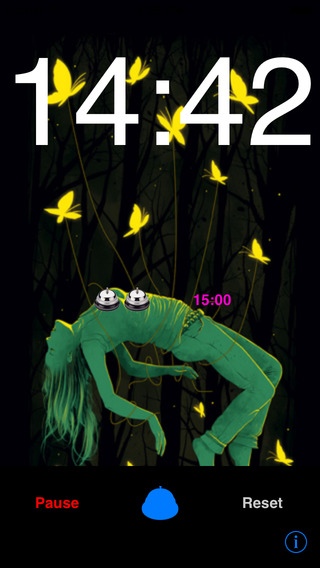
Do you have trouble going to sleep? Are you traveling on a plane and need a quick power nap? Please use the most effective & highest quality sleep app.
Lay back,listen to 15 minutes ,and can get you five times the depth of sleep. Is that simple and it works.
Say goodbye to insomnia, improve your health and feel better by getting back the sleep you deserve!
******** Features ********
Helps you sleep by blocking distractions
Relaxes and reduces stress
Pacifies fussy and crying babies
Increases focus while enhancing privacy
Soothes headaches and migraines
Masks tinnitus (ringing of the ears)
improve sleep quality greatly
fall asleep easily
fall into a deep sleep quickly
improve dreaminess and light sleep
eliminate physical fatigue and keep energetic in the day time
eliminate brain fatigue
improve complexions
Relax quickly and promote sleep
Enjoy 5 times of the deep sleep (based on 8 hours sleep)
Separate play controls for sounds.
Sleep timer.
******** User Feedback ********
"I never write reviews but this app is really amazing.I always sleep through the night and wake up feeling really refreshed."
"These apps changed my life! I can take 15 mins to wind down and come back up or sleep up all night!I hope you make a bazillion bucks because you deserve it! Thank you!"
"I've always had problems falling asleep due to my everyday stressful job. So I saw this app and gave it a try. I believe this program is brilliant because it has helped me sleep and slowly overcome my insomnia!!! Great app."
Requires iOS 5.1.1 or later. Compatible with iPhone, iPad, and iPod touch.
About 100% Deep Sleep
The company that develops 100% Deep Sleep is Cuilian Su. The latest version released by its developer is 2.08.
To install 100% Deep Sleep on your iOS device, just click the green Continue To App button above to start the installation process. The app is listed on our website since 2015-06-26 and was downloaded 0 times. We have already checked if the download link is safe, however for your own protection we recommend that you scan the downloaded app with your antivirus. Your antivirus may detect the 100% Deep Sleep as malware if the download link is broken.
How to install 100% Deep Sleep on your iOS device:
- Click on the Continue To App button on our website. This will redirect you to the App Store.
- Once the 100% Deep Sleep is shown in the iTunes listing of your iOS device, you can start its download and installation. Tap on the GET button to the right of the app to start downloading it.
- If you are not logged-in the iOS appstore app, you'll be prompted for your your Apple ID and/or password.
- After 100% Deep Sleep is downloaded, you'll see an INSTALL button to the right. Tap on it to start the actual installation of the iOS app.
- Once installation is finished you can tap on the OPEN button to start it. Its icon will also be added to your device home screen.
Program Details
System requirements
Download information
Pricing
Version History
version 2.08
posted on 2015-06-26
Disclaimer
Official App Store Link
We do not host 100% Deep Sleep on our servers. We did not scan it for viruses, adware, spyware or other type of malware. This app is hosted by Apple and passed their terms and conditions to be listed there. We recommend caution when installing it.
The App Store link for 100% Deep Sleep is provided to you by apps112.com without any warranties, representations or guarantees of any kind, so access it at your own risk.
If you have questions regarding this particular app contact the publisher directly. For questions about the functionalities of apps112.com contact us.
